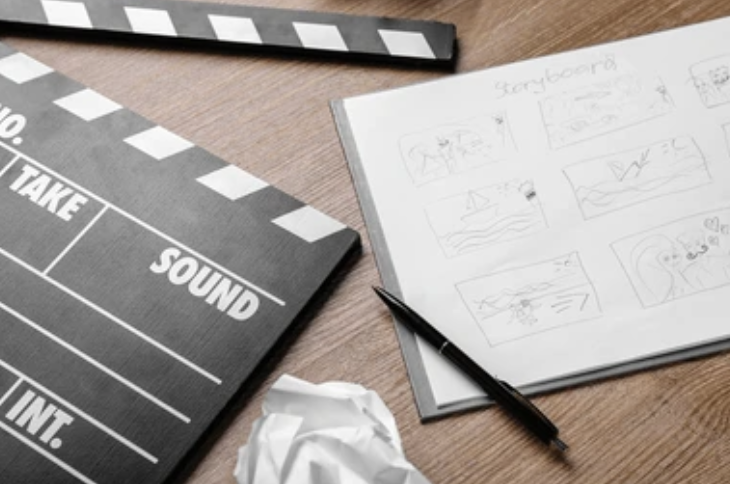
This time our free download for you to use and use again is a STORYBOARD template.
Storyboards help you (and others) to visualise your video project!
If you’re wondering how to storyboard a video, the good news is that it doesn’t have to be complicated. A storyboard is just a simple way of sketching out what you want to film, frame by frame, before you pick up a camera.; keeping your team on the same page, and saves headaches later in the edit.
You don’t need to be an artist (stick figures are fine!), and you certainly don’t need fancy software either.
To make it easier, we’ve included a free storyboard template you can download and reuse for any project.
But before you grab it, let’s walk through what a storyboard is, why it’s useful, and the simple steps to make one that makes life easier for you and your crew:
Storyboards Are A Visual Road Map of Your Video Project
A storyboard is your video’s blueprint. Think of it as a visual map: boxes that show each shot in order, with space to jot down dialogue, camera moves, sound, or any other details that matter.
It doesn’t need to be fancy, what matters is that everyone can see the flow of the video before you shoot it.
The benefit?
Fewer surprises on set, fewer missed shots, and a much smoother edit. When the crew, client, and editor are all working from the same plan, you save time, avoid wasted budget, and deliver a better end product – the kind that strengthens your reputation and keeps clients coming back.
We work with a wide range of clients who’ve had a range of experience of video projects, so we know that not everyone is familiar with a storyboard!
That’s why we’re giving you our template, so you can familiarise with it and adopt it yourself!
Whether you’re a seasoned pro, or just starting out, our free, easy-to-use storyboard is perfect for you.
Our storyboard template has:
- Pre-set frames to map out your scenes visually,
- Space for you to confirm caption, dialogue, music and sound effects,
- An easy-to-follow structure for your film crew and editors,
- And it’s customisable so you can use it over and over again on all sorts of video projects!
How to Storyboard a Video (Step by Step)
Storyboarding isn’t about drawing like Picasso – it’s about getting your ideas down, so everyone knows what’s happening and when. Here’s a simple process you can follow:
Step 1: Define your goal
What’s the purpose of the video? Who’s it for? Where will it be shown? Answering these questions first keeps your storyboard focused.
Step 2: Break your story into scenes
List the key beats in your video in the order they should appear. Think beginning, middle, and end, the natural flow of your message.
Step 3: Sketch the frames
Draw a box for each scene and sketch what the viewer will see. Stick figures and arrows are fine, it’s about clarity, not art skills.
Step 4: Add notes
Next to each frame, jot down the details: dialogue, voiceover, sound effects, music, or camera moves (like pans or zooms).
Step 5: Add timing
Estimate how long each shot will last. This helps you plan the pacing and make sure the final edit doesn’t drag.
Step 6: Review and refine
Look back through the board. Does it flow? Anything missing? Share it with your crew or client so you’re all aligned before filming.
Pro Tips for Better Storyboards
A basic storyboard will get the job done, but a few extra touches can make life on set (and in the edit) a lot smoother:
Plan cutaways early – don’t just storyboard the main shot. Add space for product close-ups, reaction shots, or graphics so you’re not scrambling later.
Mark where captions or text go – if it’s going on social, plan for on-screen text from the start. Saves redesigning after the shoot.
Think about timing – note down how long each shot should last. This helps with pacing and makes your editor’s job easier.
Leave room for options – storyboard a couple of alternate openings or hooks. Having backup shots can save a campaign if one idea doesn’t land.
Keep it simple – rough sketches beat no sketches. The goal is clarity, not perfection.
Why Storyboarding is Essential for Video Production
At Nomadic UK, we storyboard A LOT! That’s because they help us to visualise our client’s project. We can then collaborate on that document, moulding it until it takes shape and is the best possible version of their idea. The end result of this is that our client is more likely to achieve the high-quality video content they were aspiring to.
For us, we feel passionately that storyboard can be used for a wide range of video projects:
- For short films and documentaries – storyboarding make sure that every shot fits into the narrative
- For talking heads and corporate videos – storyboards make sure that a brand identity is consistent and clear.
- For short form social media videos – storyboarding can give you a wealth options to choose from. This is vital as you hunt for the most eye-grabbing content that your audience can’t ignore from the very first frame!
So, for us, like a briefing form, shot list, kit list and a pre-production checklist, a storyboard is a vital video production document.
In the early days of Nomadic UK, Amy used to hand draw all of the storyboards. Now with the assistance of AI this is a thing of the past! The bottom line is don’t let worries about creating a masterpiece overwhelm you.
Perfection is the enemy of good, after all! (The Nomads current favourite saying. It essentially means agonising about making something perfect sometimes stops you from doing anything at all. Don’t let that happen and don’t let it slow you down!)
Whether you create your storyboard from royalty free images found online from places like Shutterstock and Pixabay or whether you hand draw them. Any visual representation of what you can see in your head is better than none!
Download Your Storyboard Template
Download Your Free Storyboard Template Today
Ready to take your video production to the next level? Get your hands on our free storyboard template and start planning your project like a pro. It’s quick, simple, and it’s yours to keep.
At Nomadic UK, we help brands turn storyboards into standout video content.
Whether you need a polished commercial, social clips, or an animated explainer, our team can take your plan and bring it to life. If you’re looking for professional support with your next project, get in touch. We’d love to hear what you’re working on.